Embedded trading API for developers: how to add trading through existing brokerage accounts
If you want users to trade inside your app, start with one question: whose brokerage account will they trade through?
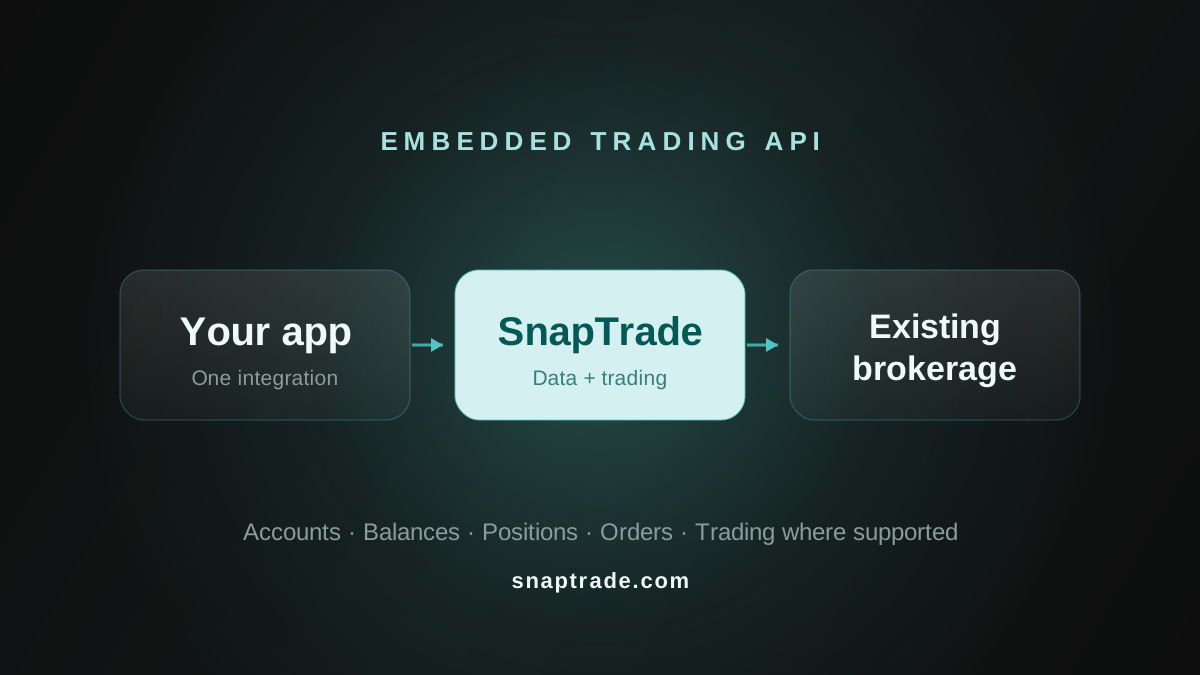
If users already have brokerage accounts and you want them to connect those accounts to your product, SnapTrade is built for that model. It gives developers one API for brokerage account data and trade execution where supported.
Published September 18, 2026
If your product needs to create, fund, custody and operate new brokerage accounts for users, you are evaluating embedded brokerage infrastructure instead. Providers such as Alpaca and DriveWealth publicly document account-opening and funding infrastructure as part of their brokerage platforms.
Both approaches can show up under the label "embedded trading API," but they solve different architecture problems.
On this page
- What is an embedded trading API?
- Start with the account model
- When SnapTrade fits embedded trading
- How embedded trading works with SnapTrade
- How this differs from embedded brokerage infrastructure
- When a unified multi-broker trading API is useful
- What to check before choosing an embedded trading API
- Frequently asked questions
What is an embedded trading API?
At a practical level, an embedded trading API lets a product put trading functionality inside its own experience instead of sending a user away to complete the whole workflow elsewhere.
The term is broad. One API may connect to brokerage accounts a user already owns. Another may help a product open new investment accounts for its users. Before comparing providers, decide which account model your product needs.
Start with the account model
User starts with
Existing brokerage accounts
An account they already have at a brokerage
New brokerage accounts
A new account created as part of the product experience
Core infrastructure job
Existing brokerage accounts
Connect the account, normalize brokerage data and support trading where available
New brokerage accounts
Handle account onboarding/opening, funding and trading, with custody or clearing depending on the provider
SnapTrade fit
Existing brokerage accounts
This is the model SnapTrade is designed for
New brokerage accounts
This is a different infrastructure model
Useful when
Existing brokerage accounts
Your product wants to work with users' existing brokerage relationships
New brokerage accounts
Your product needs brokerage accounts to be created and operated as part of its offering
| Comparison | Existing brokerage accounts | New brokerage accounts |
|---|---|---|
| User starts with | An account they already have at a brokerage | A new account created as part of the product experience |
| Core infrastructure job | Connect the account, normalize brokerage data and support trading where available | Handle account onboarding/opening, funding and trading, with custody or clearing depending on the provider |
| SnapTrade fit | This is the model SnapTrade is designed for | This is a different infrastructure model |
| Useful when | Your product wants to work with users' existing brokerage relationships | Your product needs brokerage accounts to be created and operated as part of its offering |
That distinction is more useful than starting with a feature checklist. Two providers may both describe themselves as trading APIs while sitting on different sides of this architecture decision.
When SnapTrade fits embedded trading
SnapTrade fits when your users bring existing brokerage relationships into your app.
Through supported integrations, SnapTrade provides a normalized way to work with brokerage account data such as balances, positions, orders and transactions. Where the connected brokerage supports trading, you can also build trade execution into the same product experience.
Trading availability is not universal. The exact trading feature set depends on the connected brokerage or exchange, and SnapTrade's Broker Access Guide distinguishes between read-only and read-and-trade integrations. Your product should not assume every brokerage connection supports the same trading workflow.
This model is useful when your product needs to work across multiple supported brokerages without building and maintaining a separate integration for each one.
SnapTrade brokerage API: https://snaptrade.com/brokerage-api
How embedded trading works with SnapTrade
SnapTrade supports two user and connection models for apps that want to work with brokerage accounts users already have: app-managed Commercial users and SnapTrade Personal users who authorize an app through OAuth.
Commercial: app-managed users
With a Commercial integration, your app creates one SnapTrade user for each end user and manages that user's brokerage connections under your integration. The high-level flow is:
Register one SnapTrade user for each end user in your app.
Generate a Connection Portal URL and send the user into the connection flow. If your app needs trading on that connection, request trading access with
connectionType=tradeorconnectionType=trade-if-available; the default connection type is read-only.The user selects a brokerage and completes the supported authentication or authorization steps.
Your app retrieves the connected brokerage account data it needs.
If that connection supports trading, your app can choose the account, build and validate the order in your application, submit it, and monitor execution. For most equity workflows, SnapTrade recommends direct order placement after your own validation; the order-impact flow is optional. After placement, reconcile the latest state using recent orders.
The Connection Portal handles brokerage selection and the supported authentication, authorization and MFA steps for Commercial connections.
OAuth with SnapTrade Personal
With OAuth, the individual has their own SnapTrade Personal account and owns their brokerage connections. Instead of your app creating another Commercial SnapTrade user for that person, the user signs in to SnapTrade, reviews the permissions your app requests and explicitly authorizes access. The user controls which apps they authorize, and your app can provide a disconnect action that revokes its OAuth access. Personal users will also be able to monitor trading activity across authorized apps from their SnapTrade account.
This changes the connection model in a few important ways. A Personal brokerage connection can be authorized to multiple OAuth apps, so a user does not necessarily need to reconnect the same brokerage separately for every app. For brokerages already supported through SnapTrade Personal, the OAuth app also does not need to complete the normal Commercial app-level broker approval process. Capabilities can still vary by brokerage, account, connection and feature.
OAuth permissions are scope-based. Apps can request read access and, when enabled, the trade scope. OAuth trading is currently beta. An approved OAuth app can place, modify and cancel supported orders when the user has authorized the trade scope and the underlying Personal brokerage connection supports trading. Granting the trade scope does not make a read-only brokerage connection tradable.
For implementation details, see Build an OAuth App.
For the deeper Commercial connection workflow, see How to connect brokerage accounts via API.
For the order flow and brokerage-specific trading considerations, see Trading with SnapTrade.
How this differs from embedded brokerage infrastructure
Some trading APIs start by helping a product create brokerage accounts for its users.
Alpaca's Broker API publicly includes customer onboarding and account opening, funding and trading. Its API reference includes an endpoint for creating an account. DriveWealth describes its platform as brokerage infrastructure spanning account opening, funding, trading, custody and clearing.
Those are examples of a new-account model. The product is not simply connecting to a brokerage relationship the user already has. Brokerage-account infrastructure is part of the product itself.
SnapTrade starts from a different place: the user already has a brokerage account, and the app wants to connect to that account and work with it.
That is another reminder that a list of "trading APIs" can mix products with very different account and integration models.
SnapTrade also supports brokerages such as Alpaca and Tradier as existing-account integrations. That is different from using brokerage infrastructure such as Alpaca's Broker API to create and operate accounts for users.
The practical question is not which label a provider uses. It is whether your product needs to connect existing brokerage accounts or create new ones.
When a unified multi-broker trading API is useful
A unified brokerage API is a natural fit when:
- Your users already have brokerage accounts they want to use with your product.
- Your app needs to support multiple brokerages through a normalized interface.
- You need portfolio data and trade execution to work together in the same experience, where trading is supported.
The value is architectural. Your team works against one brokerage API instead of designing the product around a separate integration for each supported brokerage.
What to check before choosing an embedded trading API
Before comparing provider feature lists, check the parts that actually change your architecture:
- Account model: Will users connect accounts they already have, or will your product create new brokerage accounts for them?
- Brokerage coverage: Does the provider support the brokerages your users need?
- Trading availability: Which connected brokerages and workflows actually support trading?
- Connection flow: How do users authenticate or authorize their brokerage connections?
- Data surface: Does the API provide the account, balance, position, order and transaction data your product needs?
- Connection lifecycle: How will your product handle authentication steps, reconnects and brokerage-specific connection behavior over time?
Starting with those questions makes it much easier to compare APIs that may otherwise look similar on a search-results page.
Frequently asked questions
- Can users trade through brokerage accounts they already have in my app?
- Yes. That is the embedded-trading model SnapTrade is designed to support. Users connect brokerage accounts they already have, and your product can place trades through supported brokerage connections where trading is available.
- Does SnapTrade open brokerage accounts for my users?
- SnapTrade connects your product to brokerage accounts users already have. If your product needs to create, fund, custody or operate new brokerage accounts for users, you are evaluating a different infrastructure model.
- Does every SnapTrade brokerage integration support trading?
- No. Trading availability depends on the connected brokerage or exchange. Some integrations are read-only, while others support read-and-trade access. Check the Broker Access Guide for the current access level for a specific brokerage.
- Is an embedded trading API the same as an embedded brokerage API?
- Not necessarily. The terms overlap in product marketing, but the underlying architecture can be different. Some APIs connect to brokerage accounts users already have. Others provide infrastructure for creating and operating new brokerage accounts. Start with the account model before comparing providers.
Start with the accounts your users already have
If your architecture starts with brokerage accounts your users already have, start with SnapTrade's brokerage API overview and then move into the connection and trading docs: