Human approval for AI trade proposals: building with MCP and SnapTrade
Aaryan Kapoor, second-place winner of the SnapTrade student hackathon (Hack Atlantic 2026).
Published October 19, 2026 · SnapTrade
At a glance
- Guardrail Gateway separates MCP-connected AI trade proposals from human approval.
- SnapTrade account data and quotes provide context for 16 deterministic policy checks.
- Server-side locks and repeat checks protect the approval workflow, which ends in simulated paper fills.
An AI assistant can propose a trade. Your application still needs to decide who can approve it, which rules apply and what happens when the same request arrives twice.
Guardrail Gateway explores that boundary. It combines an MCP-connected assistant, SnapTrade brokerage data and a human approval workflow for simulated paper trades.
Aaryan studies computer science at the University of New Brunswick.
Separate the proposal from the approval
Guardrail gives the assistant eight MCP tools. Four read accounts, positions, balances and policy, and four propose, check, list or cancel orders. None of them can approve an order or change the user’s policy. Those belong to a separate human workflow.
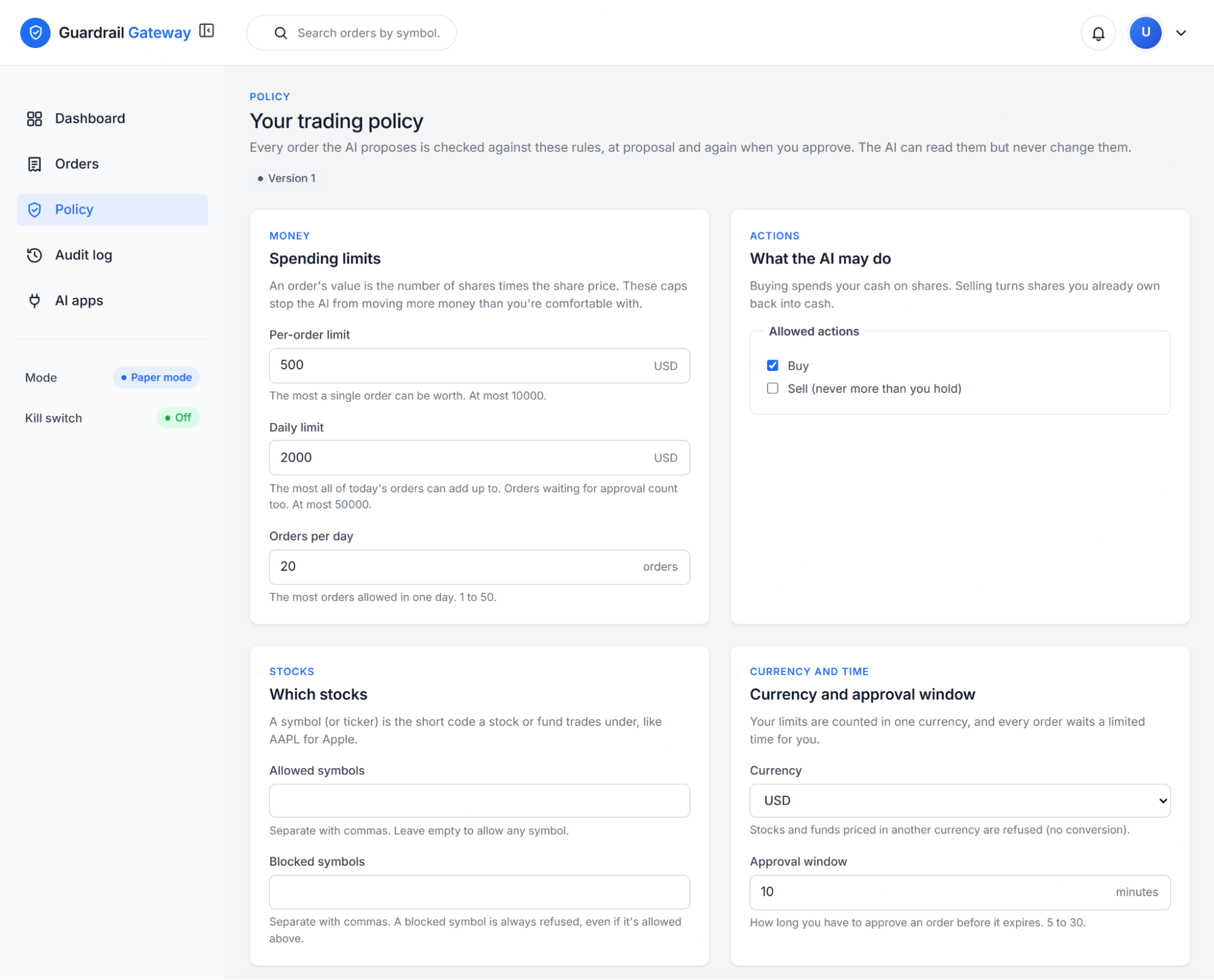
Each proposal becomes a stored intent. A deterministic policy engine checks it against 16 rules, such as spending limits and an account allow list, rather than relying on the assistant’s explanation to decide whether it should proceed.
The submitted version ends that workflow with a simulated paper fill. This makes the approval boundary visible without presenting the prototype as a live trading service.
Use brokerage data to check the proposal
Users sign in through SnapTrade’s OAuth, so the assistant never sees a brokerage password or a SnapTrade token. SnapTrade then supplies account, position, balance and quote information, and Guardrail gets a fresh SnapTrade quote for every order, once when it is proposed and again when it is approved.
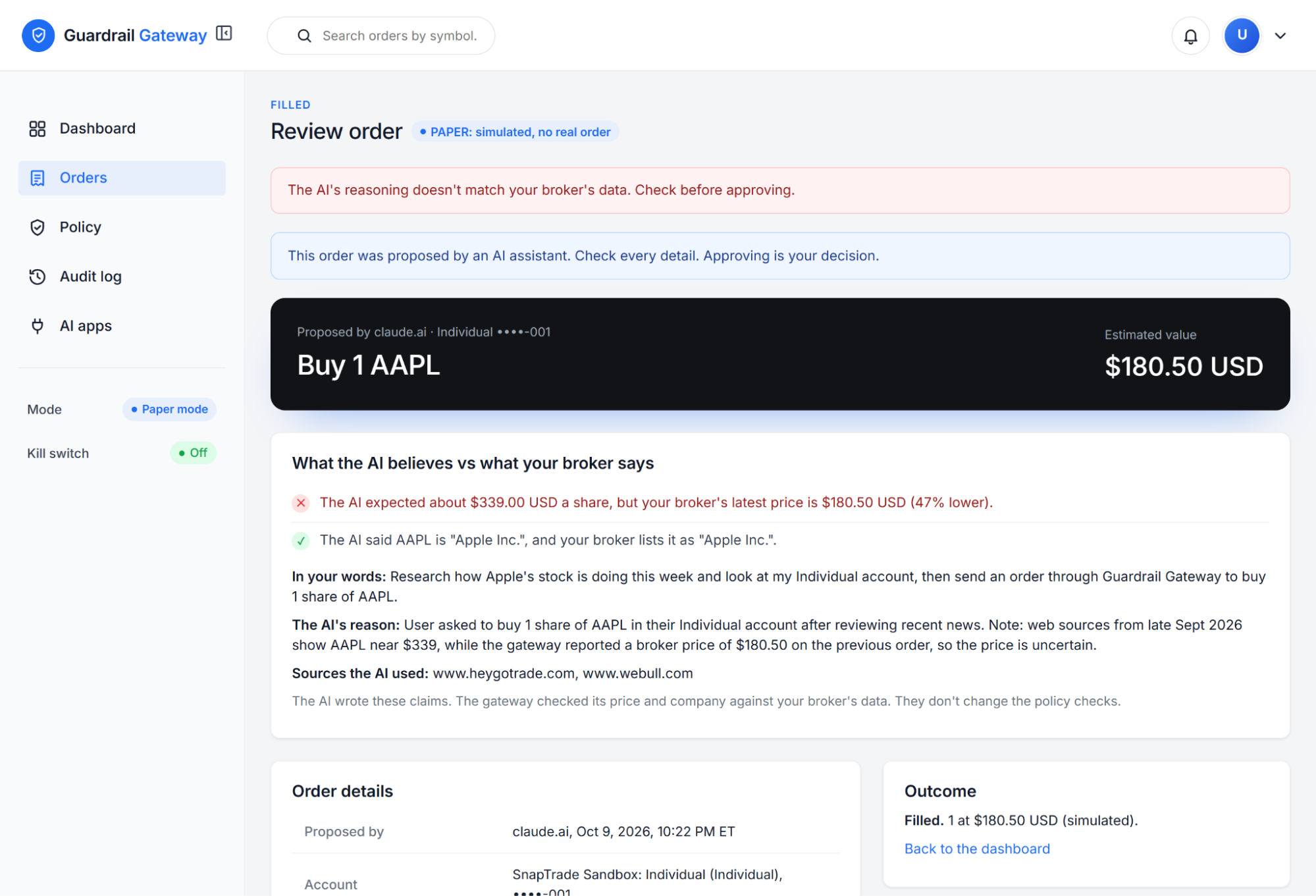
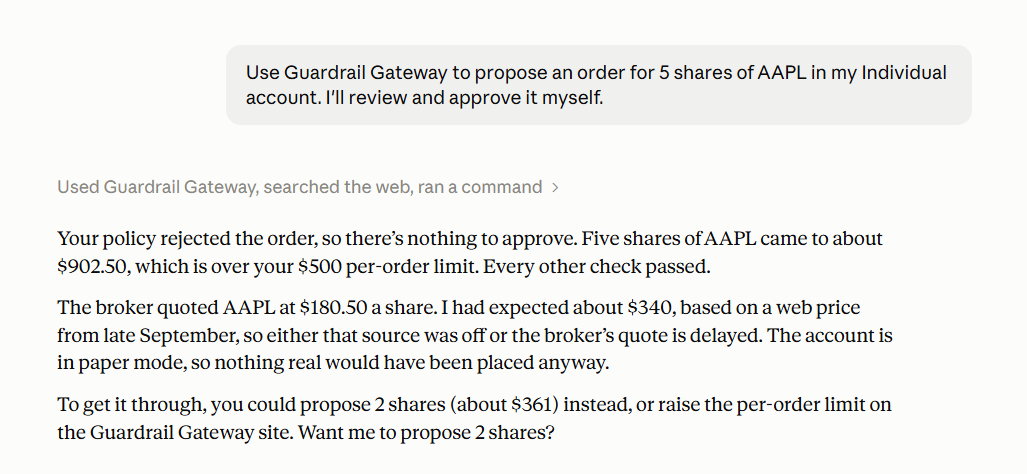
In the student demonstration, the assistant provides an expected AAPL price of about $339. The broker quote is $180.50. Guardrail’s Claim Check flags any gap over 5% on the review screen, and also checks the company name against the broker’s listing.
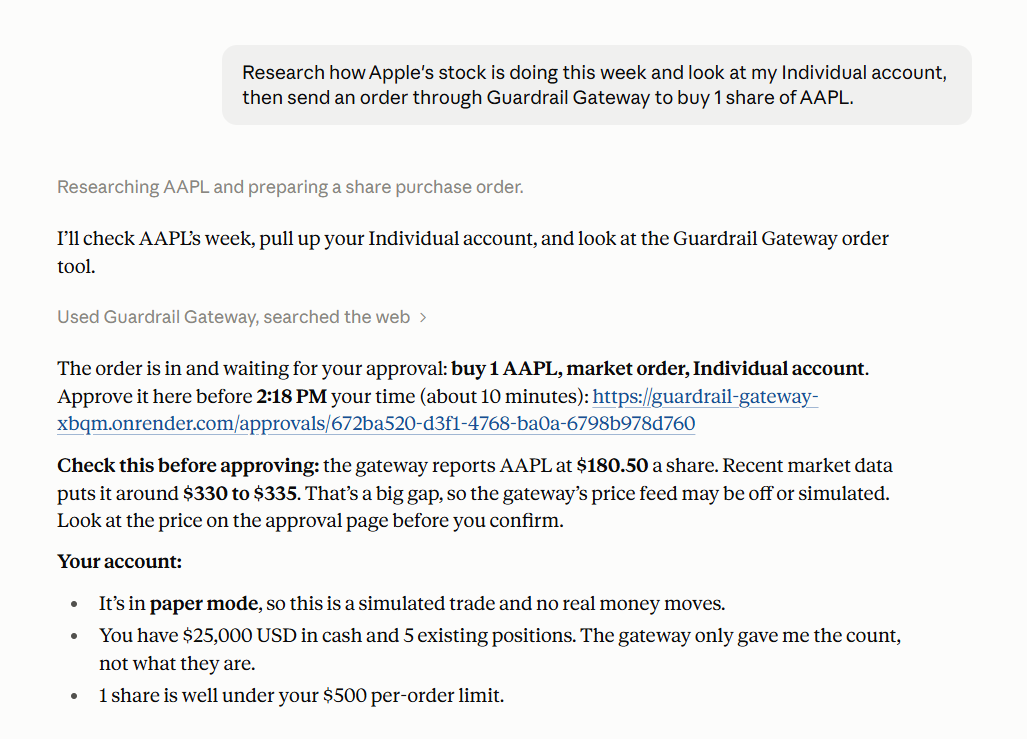
The price check only flags a mismatch with the brokerage quote. It does not judge the assistant’s investment thesis, and it never overrides the policy rules.
“I expected connecting to brokerages to be the hardest part. SnapTrade made it the easiest. One OAuth sign-in, one API for accounts and quotes, and a Sandbox where I could test without real money. That let me spend my time on what mattered most to me, which was making sure the AI could never approve its own trade.”
Enforce approval on the server
A confirmation button is only the visible part of an approval workflow. The server also needs to handle concurrent requests, expired proposals and policies that change before approval.
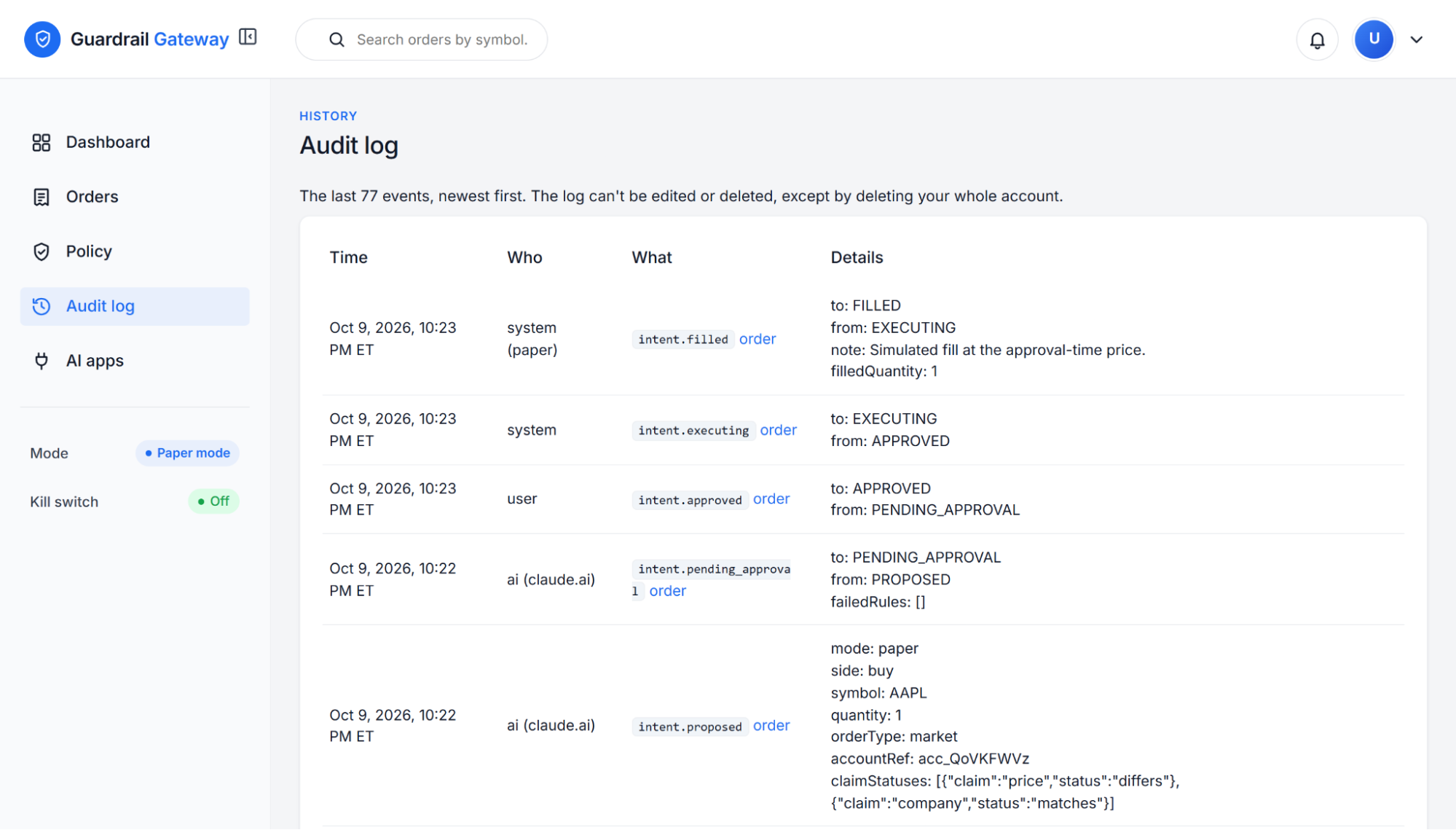
Guardrail’s approval implementation fetches a fresh quote (plus holdings, for sells), then enters a database transaction. It locks the user and intent, checks the proposal’s status and expiry, and evaluates policy again.
Only a passing result can advance to a paper fill. A repeated approval, an expired proposal or an active kill switch stops that transition.
This is a useful pattern for any application where an assistant proposes an action and a person authorizes it: enforce the decision at the point where the action would happen.
Test the failure paths
Our independent run passed 797 automated tests, with one skipped test. We also exercised a local workflow with synthetic brokerage responses, checking blocked proposals and simulated fills.
The most useful test cases focus on what can go wrong:
- Two approval requests arrive for the same proposal.
- SnapTrade can’t return a fresh quote when the user approves.
- The proposal expires or the kill switch becomes active.
- The assistant looks for a human-only capability, but none of its tools can approve.
These checks help establish what the application enforces beyond the interface. They do not cover a live brokerage executor, which was deliberately left out of the submitted version.
What developers can learn from Guardrail Gateway
Aaryan’s project makes a common AI application problem concrete: giving an assistant useful context without giving it every permission.
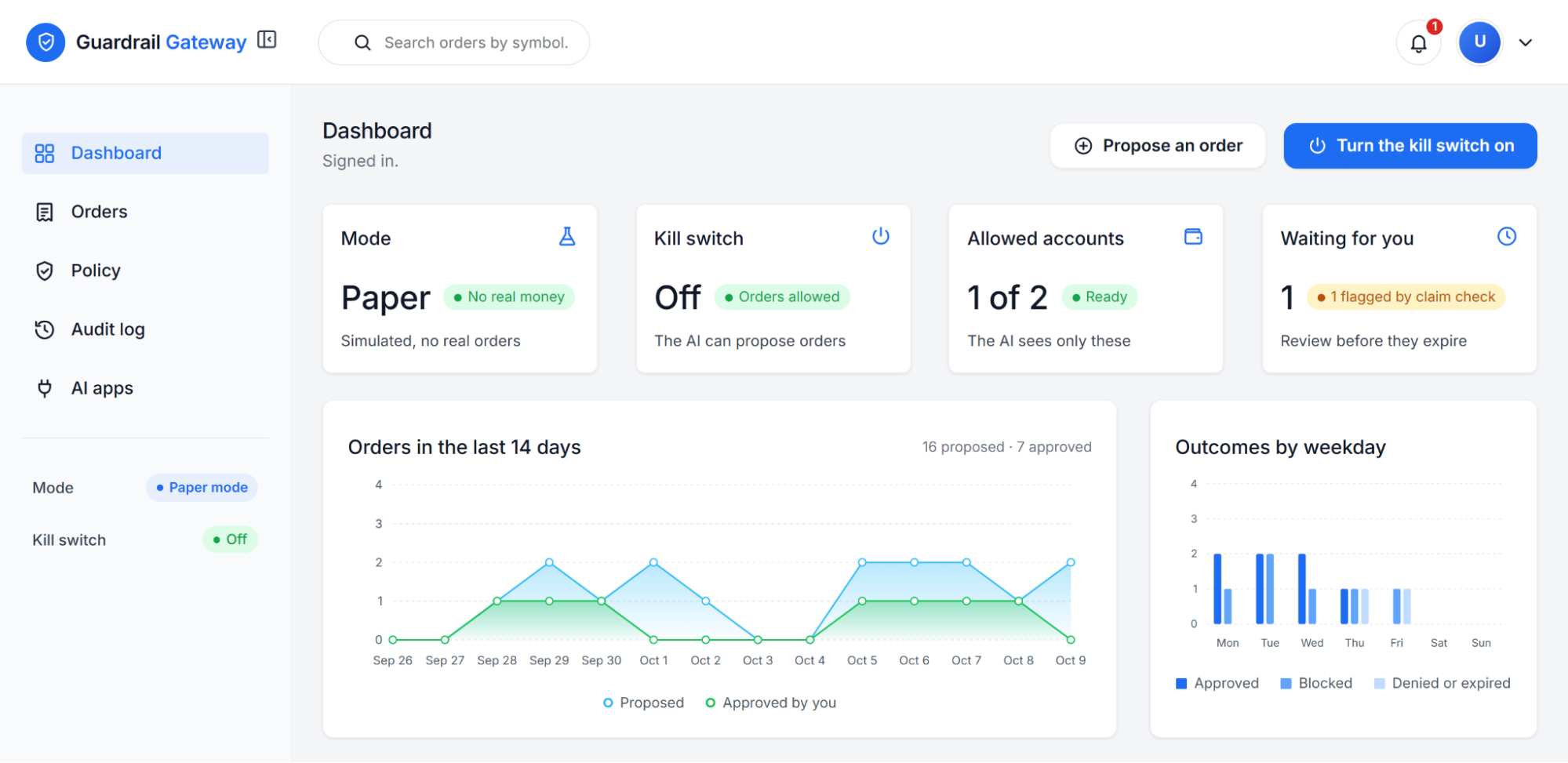
The Guardrail Gateway source code shows how the proposal tools, policy engine and approval route fit together. Its integration notes document 13 challenges encountered while connecting brokerage data. You can also try the live demo with no sign-up.
For teams building an MCP workflow around financial accounts, start with explicit permissions and testable policies. SnapTrade’s developer documentation provides the API reference for the brokerage context those policies need.
Start building for free with SnapTrade
Have an idea for an app powered by brokerage data? Develop and test your integration for free on SnapTrade’s Build plan, with up to five brokerage connections.