Reach more Personal users through the App Directory
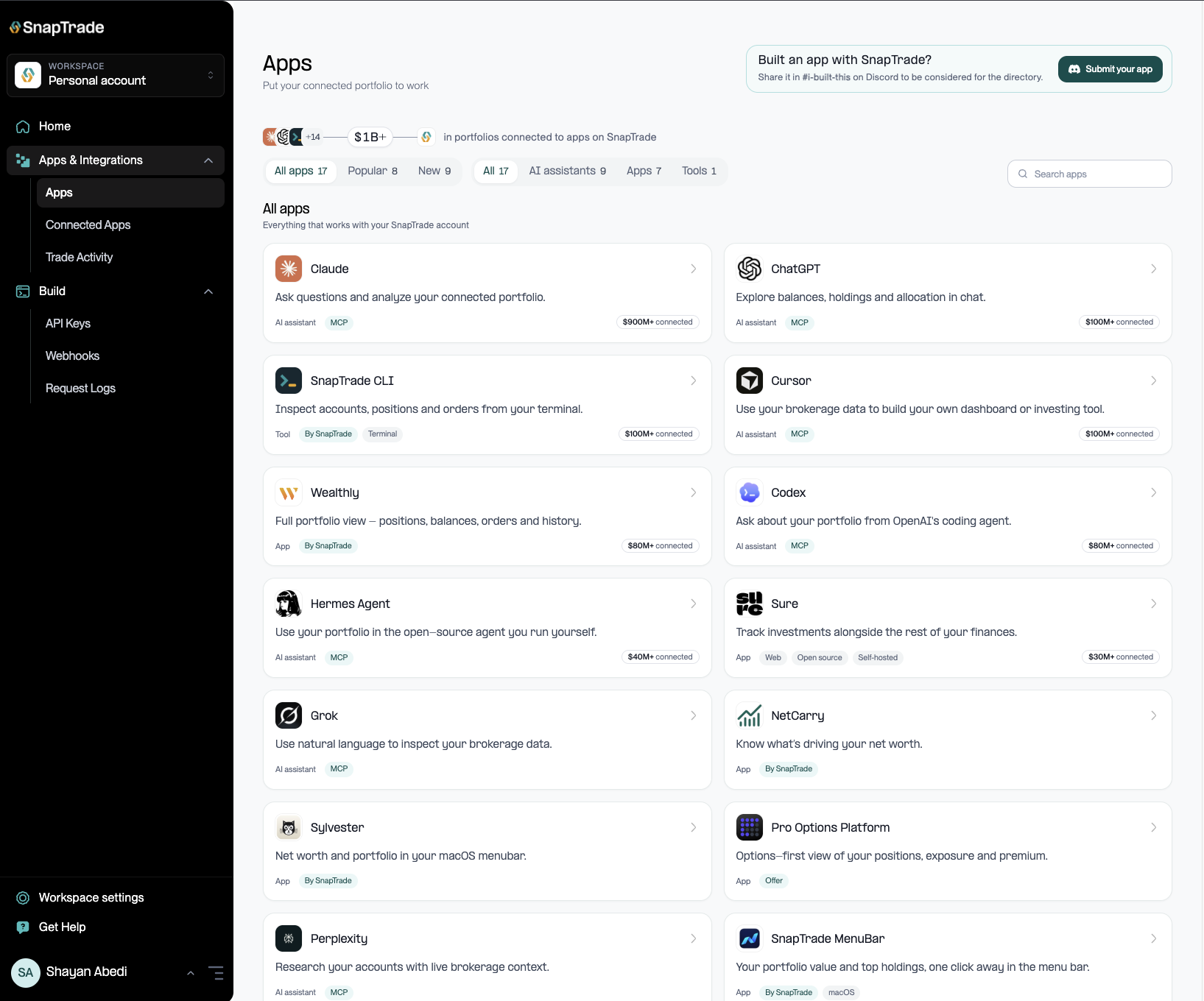
If you build an app with SnapTrade OAuth, eligible apps can now be discovered by SnapTrade Personal users in the new App Directory, including Popular and New sections.
Apps will also be available to browse on the SnapTrade site.
data_freshness_mode now separates institution-side and SnapTrade-side freshness. The field is now an object with institution and snaptrade values, so update your parsing if you read it directly.
See brokerage-level breakdowns for connected users, active connections, disabled connections, and connected assets.
Change the email address associated with your SnapTrade account through two-step verification.
Delete eligible workspaces without contacting SnapTrade support.
Rename and hide connected accounts
Renamed account names are returned through the API. Hidden accounts remain in API responses and are only hidden in the dashboard.
SnapTrade Personal
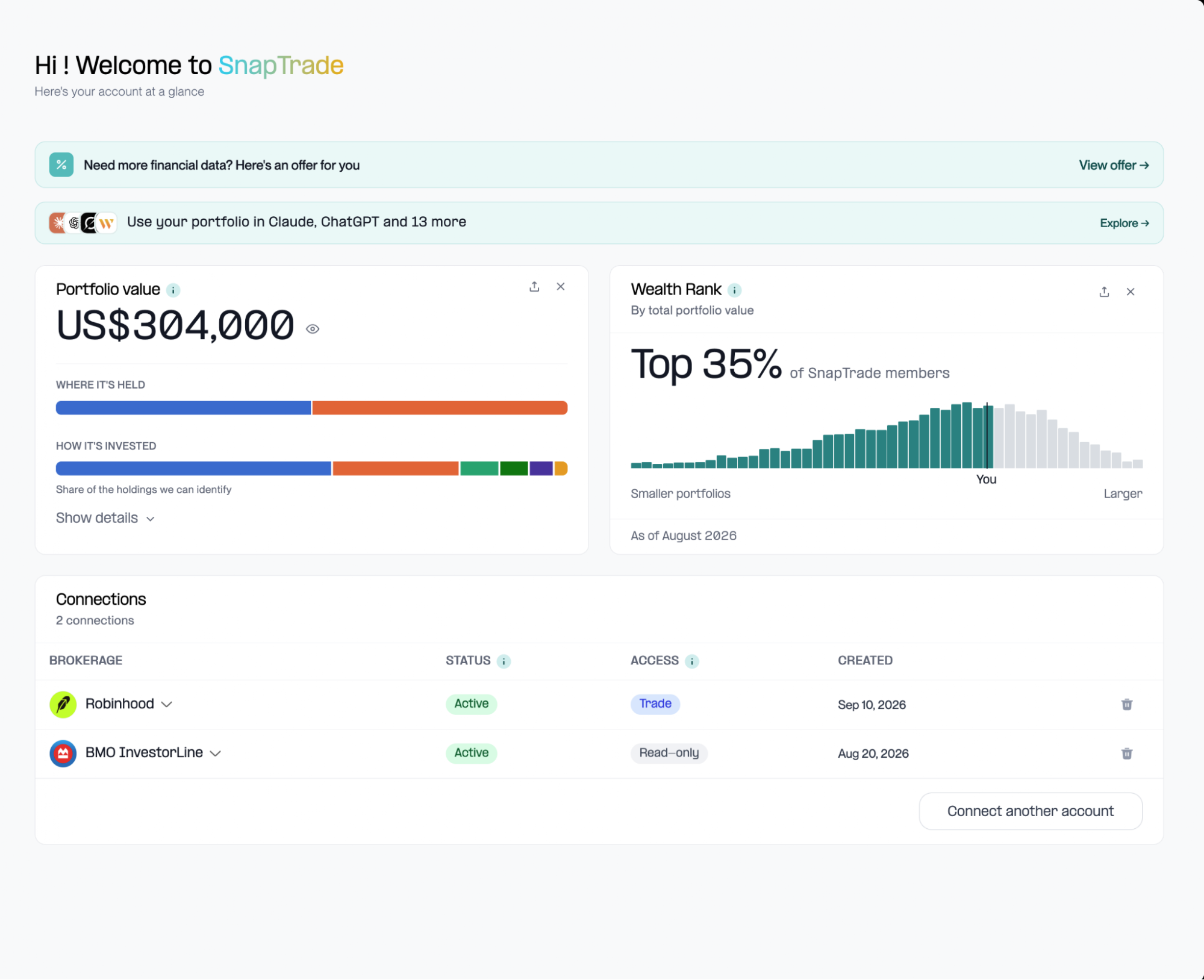
Wealth Rank
See where your portfolio stands against other SnapTrade Personal users. Your dashboard now shows your total Portfolio Value alongside your Wealth Rank.
App Directory
Find new apps and tools to use with your investments. Browse apps that work with SnapTrade Personal, including Popular and New sections.
Portfolio overview
Get a clearer view of your investments at a glance in your SnapTrade Personal Dashboard. See your total Portfolio Value, where it’s held, and how it’s invested.
Trading access
Connect a brokerage with trading access directly from your SnapTrade Personal Dashboard where your brokerage supports it.
Rename or hide connected accounts to keep your dashboard organized. If you use the Personal API, renamed names carry through there too; hidden accounts still remain in API responses.